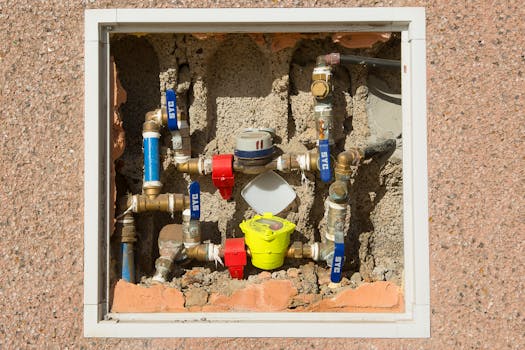
Can I Purify Well Water with Smart Water Box? A Step-by-Step Guide
Access to clean water is essential for health and well-being, particularly for those relying on well water. While well water can be an excellent source of hydration, it often contains impurities that can affect its safety. The Smart Water Box is a modern solution for purifying well water, but many users may wonder how effective it is and how to use it correctly. This guide will provide a step-by-step process for purifying well water with the Smart Water Box, along with common mistakes to avoid and troubleshooting tips.
Understanding the Smart Water Box
The Smart Water Box is designed to filter and purify water from various sources, including wells. It typically uses a combination of filtration technologies, such as activated carbon filters, UV purification, and possibly reverse osmosis. The goal is to remove contaminants like sediment, bacteria, heavy metals, and chemical pollutants.
Step 1: Assess Your Well Water Quality
Before you start using the Smart Water Box, it’s crucial to test your well water quality. This includes checking for:
- pH levels
- Presence of bacteria
- Heavy metals like lead or arsenic
- Hardness and mineral content
You can purchase water testing kits or send samples to a certified laboratory. Understanding your water quality will help you choose the correct settings and filters for the Smart Water Box.
Step 2: Setting Up the Smart Water Box
Once you have assessed your water quality, follow these steps to set up your Smart Water Box:
- Unbox and Inspect: Carefully unbox your Smart Water Box and check for any damage or missing components.
- Install Filters: Insert the appropriate filters based on your water quality assessment. Refer to the user manual for detailed instructions on filter installation.
- Connect to Power and Water Source: Plug the device into a power outlet and connect it to your well water supply.
- Configure Settings: Use the control panel to set parameters like filtration speed and purification mode. Be sure to refer to the user guide for optimal settings.
Step 3: Purification Process
Once everything is set up, you can initiate the purification process. Follow these steps:
- Start the Purification: Turn on the Smart Water Box and allow it to begin filtering water. Monitor the process and refer to any indicators that signal when the water is ready.
- Check Purity Levels: After the purification cycle, test the water again to ensure that contaminants have been adequately removed.
- Store Properly: If you are satisfied with the purification results, store the water in clean, sanitized containers.
Common Mistakes to Avoid
While the Smart Water Box is designed to simplify water purification, users often encounter some common pitfalls. Here are a few mistakes to avoid:
- Skipping Water Testing: Not testing your water before using the Smart Water Box can lead to inadequate purification. Always start with a water quality assessment.
- Incorrect Filter Installation: Ensure that filters are installed correctly. Check for any misalignment or improper sealing, as this can lead to leaks and ineffective purification.
- Ignoring Maintenance: Regular maintenance is crucial. Neglecting to replace filters or clean the unit can result in decreased performance over time.
- Using the Wrong Settings: Each water source is different. Using inappropriate settings can lead to poor purification outcomes. Refer to the manufacturer’s guidelines based on your water test results.
Troubleshooting Tips and Fixes
If you encounter issues with your Smart Water Box, here are some troubleshooting tips:
- Water Flow Issues: If water flow is slow or stopped, check for clogs in the filters or tubing. Clean or replace filters as needed.
- Unusual Odors or Tastes: If the purified water has an unusual taste or smell, it could indicate a filter issue. Replace filters and run a purification cycle to clear any stagnant water.
- System Malfunctions: If the Smart Water Box shows error codes, refer to the user manual for specific troubleshooting steps. Often, a simple reset can resolve minor issues.
Final Thoughts
Purifying well water with the Smart Water Box can be an effective way to ensure safe drinking water for you and your family. By following the steps outlined above and avoiding common mistakes, you can enhance the purification process and enjoy clean, fresh water. For detailed plans and resources, be sure to check out Ted Water DIY, which offers a variety of water purification projects and tips.
FAQs
1. How often should I replace the filters in the Smart Water Box?
The frequency of filter replacement depends on water usage and quality. Generally, it is advisable to change filters every 6 to 12 months.
2. Can the Smart Water Box remove all contaminants from well water?
While the Smart Water Box is effective against many contaminants, it may not remove all heavy metals or specific chemicals. Regular testing is recommended.
3. Is the Smart Water Box energy-efficient?
Yes, the Smart Water Box is designed to be energy-efficient, consuming minimal power while providing effective purification.
📚 Related Articles
🔨 Want 16,000+ Water DIY Plans?
Get instant access to step-by-step plans with blueprints and cut lists.
Get Instant Access →